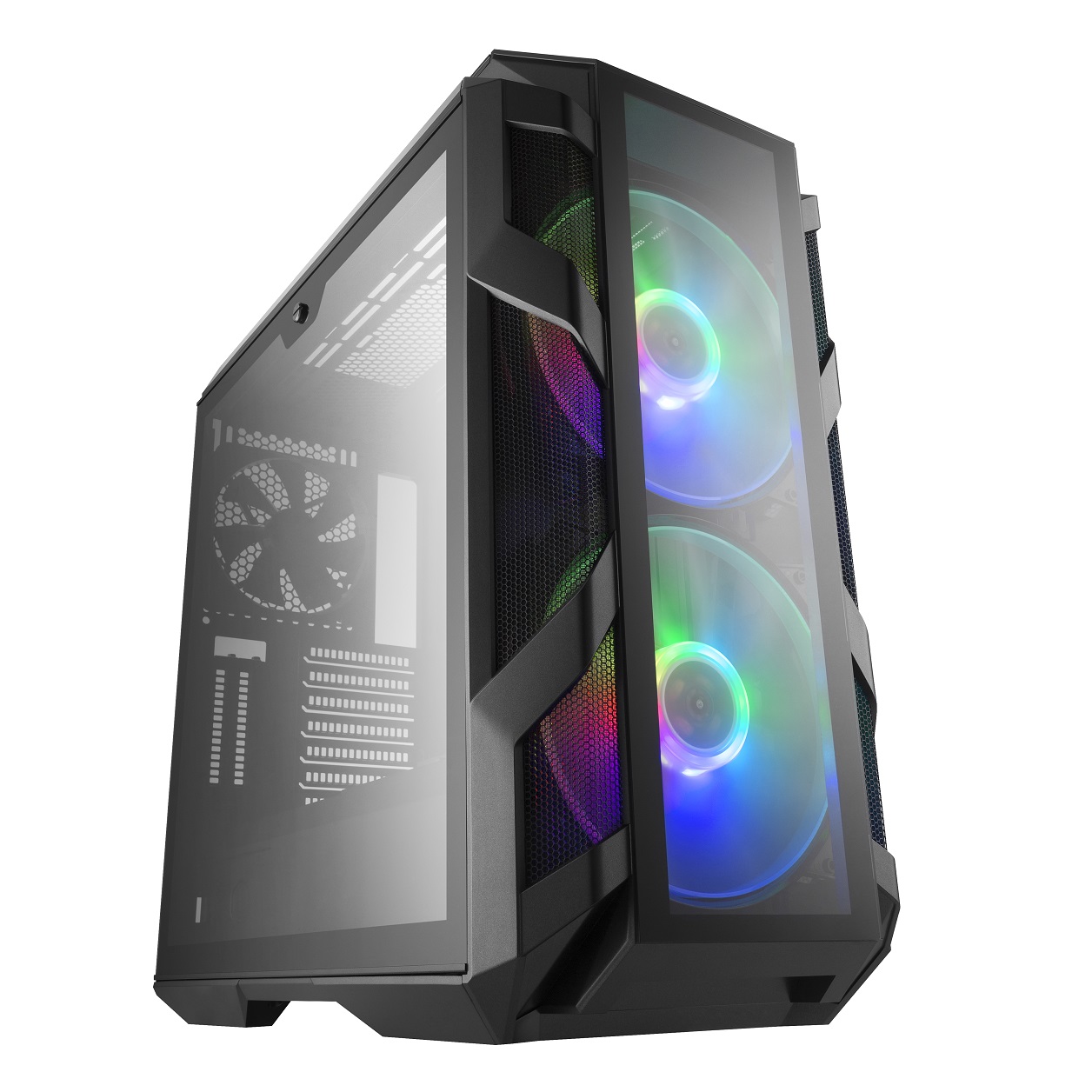
 Mumbai, India – Cooler Master, an award-winning computer hardware manufacturer, today launches the MasterCase H500M. The MasterCase H500M, form and function you can raise your glass to.
 Sitting at the top of H-Series, the MasterCase H500M does not hold back on features, style, material or design. Both the front mesh panel and glass accessory are included to offer a choice between maximum airflow and aesthetics. Each of the front panel options compliment the industrial design of the H500M in their own method. Tempered glass is found on all four sides of the chassis to ensure a comprehensive view of components. To compliment the showmanship, addressable RGB fans sit behind the front panel and come with an addressable RGB controller.
- Mesh & Glass Options Included – Choose between the mesh front panel for optimized airflow or the glass option for a balance of aesthetics and performance with the included accessory.
- Four Tempered Glass Panels – Edge-to-edge glass side panels on both sides, a glass top panel, and a glass front panel offer a clear and comprehensive system view.
- Two 200mm Addressable RGB Fans & Controller – Move air stylishly and quietly with two Addressable RGB Fans controlled by an included Addressable RGB controller.
- Rich Connectivity – The I/O panel comes with a USB 3.1 (Gen 2) Type-C port, and four additional USB 3.0 ports. The included ARGB controller manages the lighting of the system.
- Covers For Clean Building – A total of 9 covers take clean building to the next level with a PSU cut out cover that provides the option of showing off your PSU or leaving it out of sight.
- Show Off Your Graphics Card – Two additional PCI slots at the rear enable you to show off your graphics cards in the vertical position.
- Adjustable GFX Support Arm – Relieve the stress of weight and reinforce larger, longer graphics cards with an included adjustable graphics card support arm.
- 200mm Radiator Support – The front panel is compatible with up to a 360mm radiator, including support for one 200mm sized radiator. The top bracket supports up to a 360mm radiator along with 200mm fans.

Ventilation on the MasterCase H500M, found on either side of the front panel, differs from the rest in the series. The mesh vents wrap from the side of the panel to the front of the panel in order to offer more airflow for the fans to intake.
Providing options on how to showcase a system includes a total of 9 covers. The PSU shroud consists of multiple removable pieces. There is a PSU cutout cover that can be removed to view the PSU, or positioned to keep it out of view. Toward the front of the shroud, there is a removable plate to accommodate thicker radiators. With two main parts, half of the PSU shroud can be removed to offer more space while still hiding cables and the PSU. Options for the front panel, PSU shroud, cable covers, and radiator compatibility allow builders to configure at will. The empowerment of component choice and abundant support ensures that systems will look their best when built inside a MasterCase H500M.
Pricing & Availability: The MasterCase H500M will be available for (INR 18,499/ end user price) starting 25th June, 2018
###
About Cooler Master:
Cooler Master is a global computer components and peripheral company with a 25-year track record in releasing innovative products that
truly advance the industry. We are driven by a passion for the things that make building a PC such a unique, rewarding experience, and
sustained by a vision that we can reinvent the way these machines are designed, made and used. From our landmark release of the first
ever aluminum PC case to our groundbreaking switch to the modular format, Cooler Master is committed to bringing our customers and
fans the utmost in choice and control. For more information on Cooler Master, please visit www.coolermaster.com or follow us on http://www.facebook.com/coolermaster
Nhận xét
Đăng nhận xét